
Denomination entry
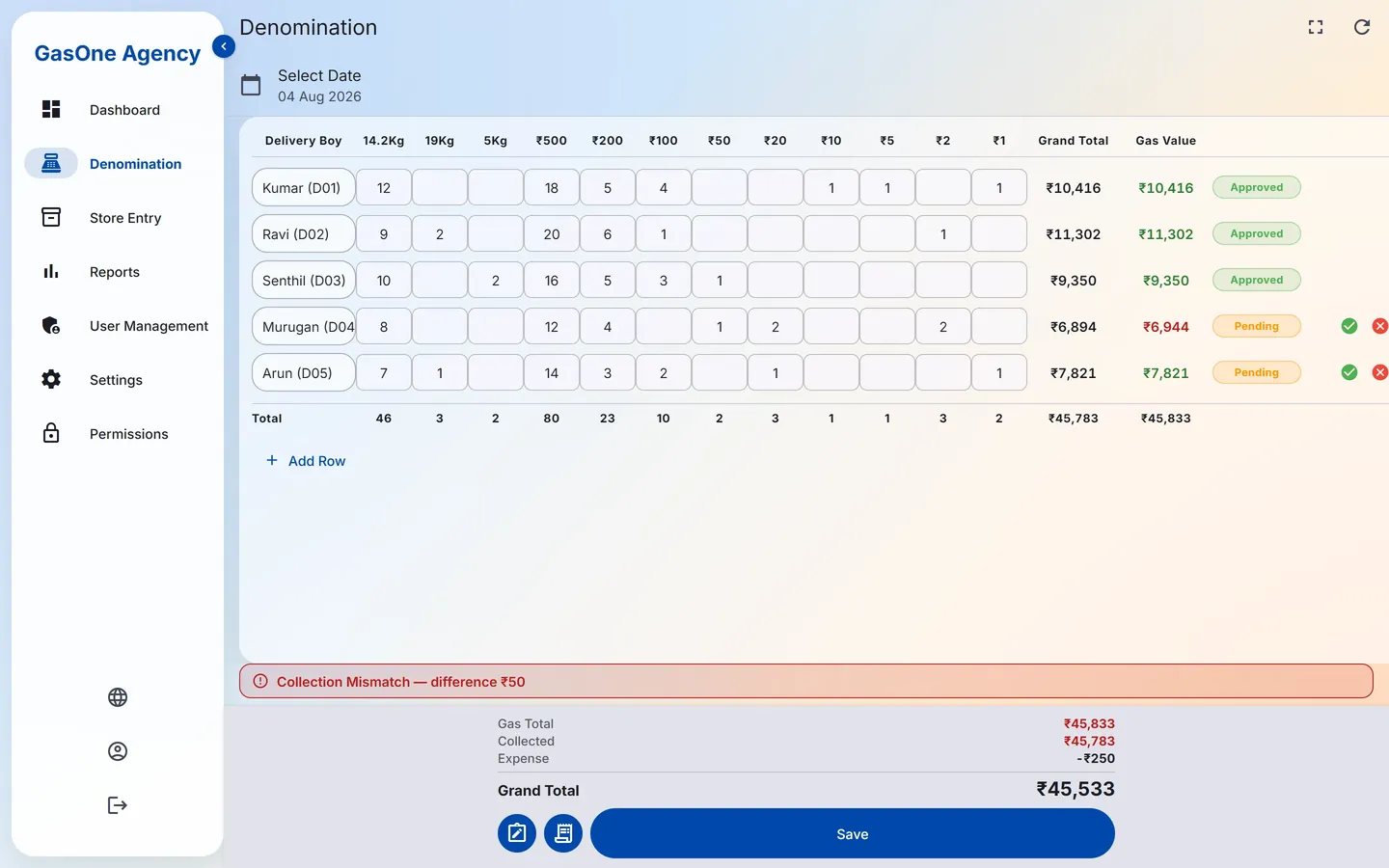
One row per delivery boy: cylinders delivered for each product, then the notes and coins from ₹500 down to ₹1. The grand total adds itself up.
GasOne records each delivery boy's cylinders and cash notes, checks the cash against the cylinders' gas value, and gives the agency Admin a live view of the day's collection. In Tamil or English.
 On Google Play soon: in review
Want to try it first? Request a free trial and we will create your login and set everything up for you.
Built around how an LPG gas agency actually closes its day: delivery boys come back with cash, the office counts it, the Admin checks it, and the store keeper fills the register.
One row per delivery boy: cylinders delivered for each product, then the notes and coins from ₹500 down to ₹1. The grand total adds itself up.
The cash is checked against the cylinders' gas value. It turns green when they match and red when they don't, and the Admin sees the exact difference.
A delivery boy's entry starts as Pending. The Admin approves it, or rejects it with an optional reason. While it is Pending the delivery boy can still edit it, if the Admin allows that; once approved or rejected it is locked.
The store keeper fills the day's register: filled and empty cylinders for 10Kg composite, 14.2Kg domestic and 19Kg commercial, with invoice numbers. It locks after saving.
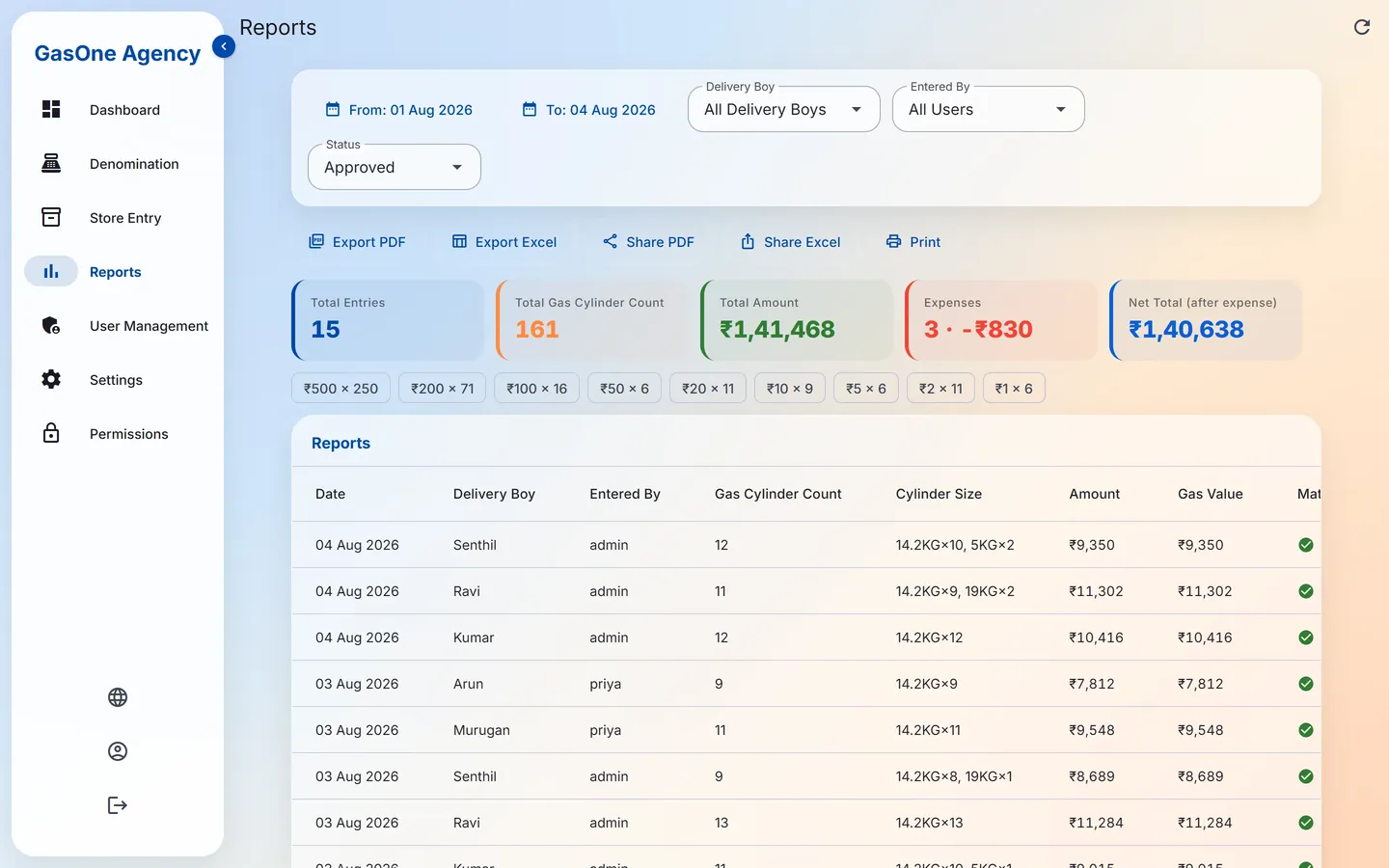
Filter by date range, delivery boy, who entered it and status. Export to PDF or Excel, share either one, or print straight away.
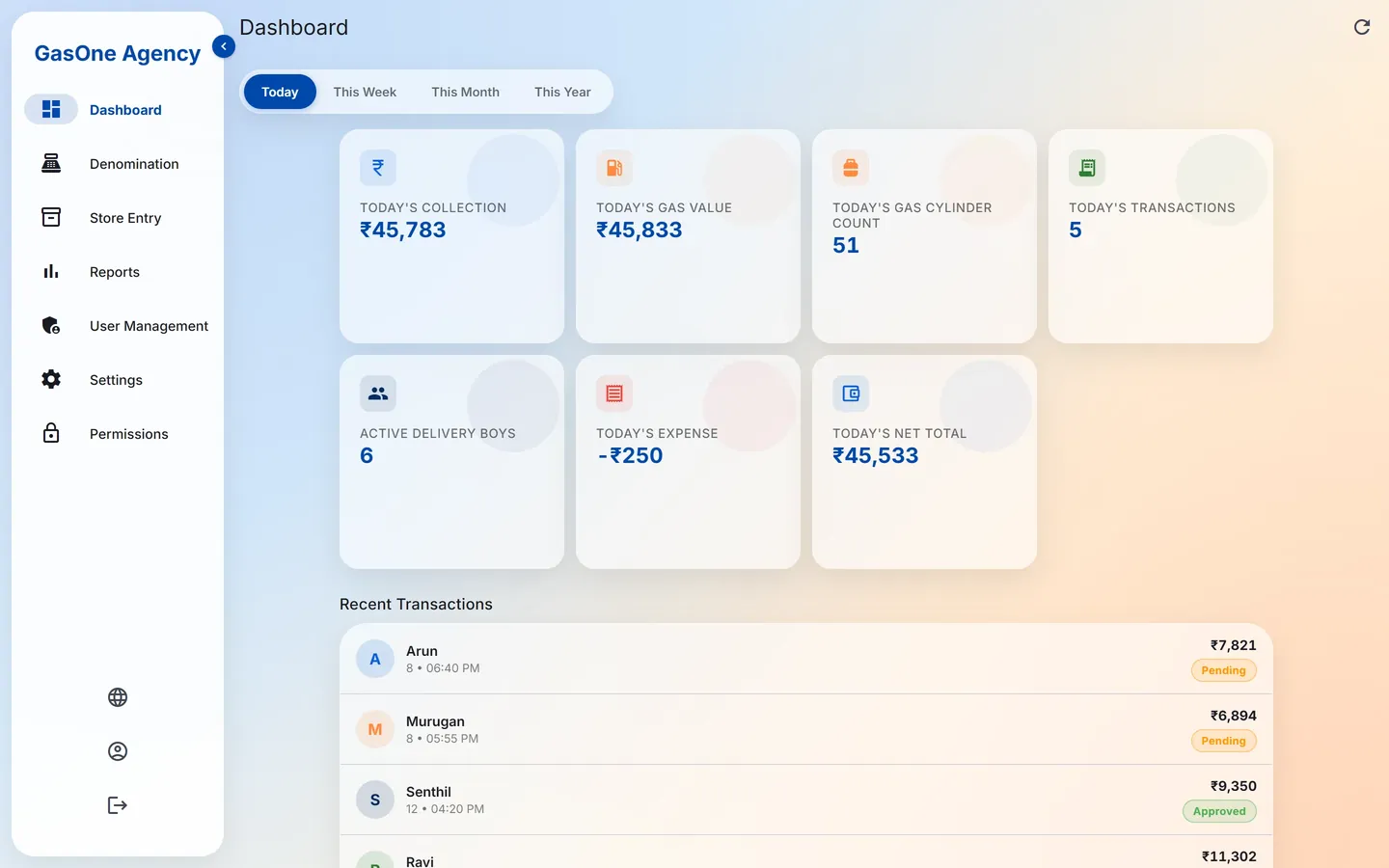
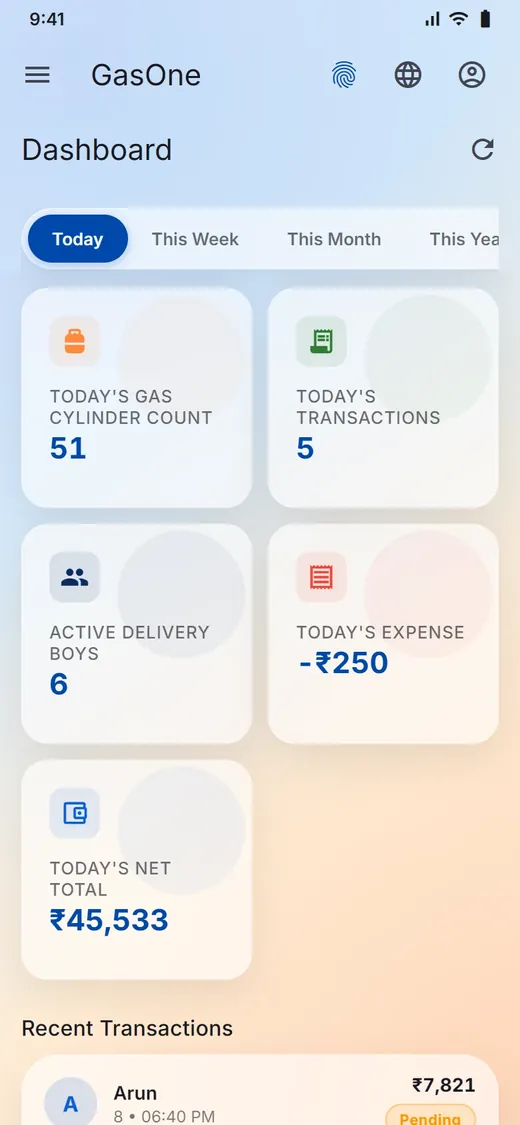
The Admin records the day's expenses. The dashboard shows today's collection, gas value, cylinder count, expense and the net total after expenses.
The same GasOne on a computer in the office and on the phone in a delivery boy's pocket.
Switch between Today, This Week, This Month and This Year, and see the numbers that matter to the owner.
A spreadsheet-style grid made for the cash counter, one delivery boy per row.
Every approved entry, with who entered it and when, ready to export.
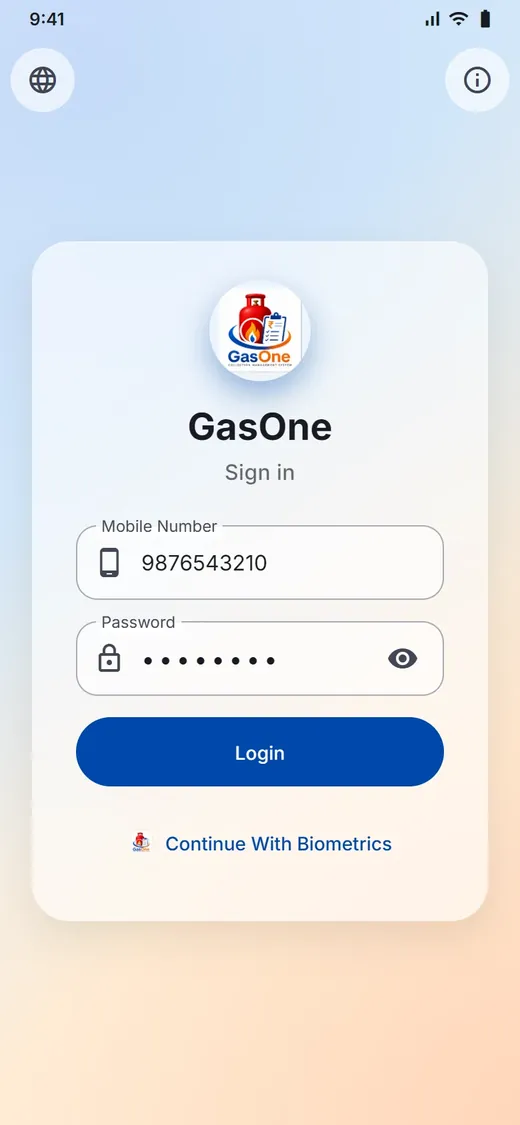
Staff sign in with their mobile number and password, or with fingerprint or face if they turn it on.
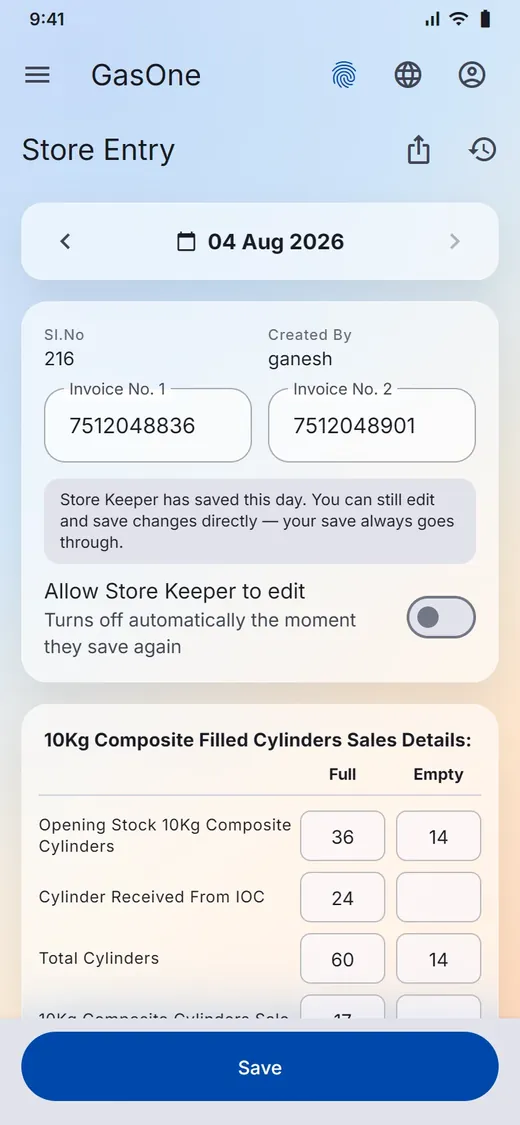
Screens are shown with sample data.
Four steps, each done by the person who should be doing it.
Each delivery boy's cylinders and notes go into the denomination grid, by them or by the office.
The grand total is compared with the gas value. Any difference shows in red, down to the rupee.
Pending entries are approved or rejected, with an optional reason. Expenses are added to get the net total.
The store keeper submits the DGS cylinder register, and reports are ready to export or print.
The Admin decides which of the Dashboard, Delivery Boy Master, Denomination and Reports screens a User can see. Delivery boys and store keepers work from one main screen each.
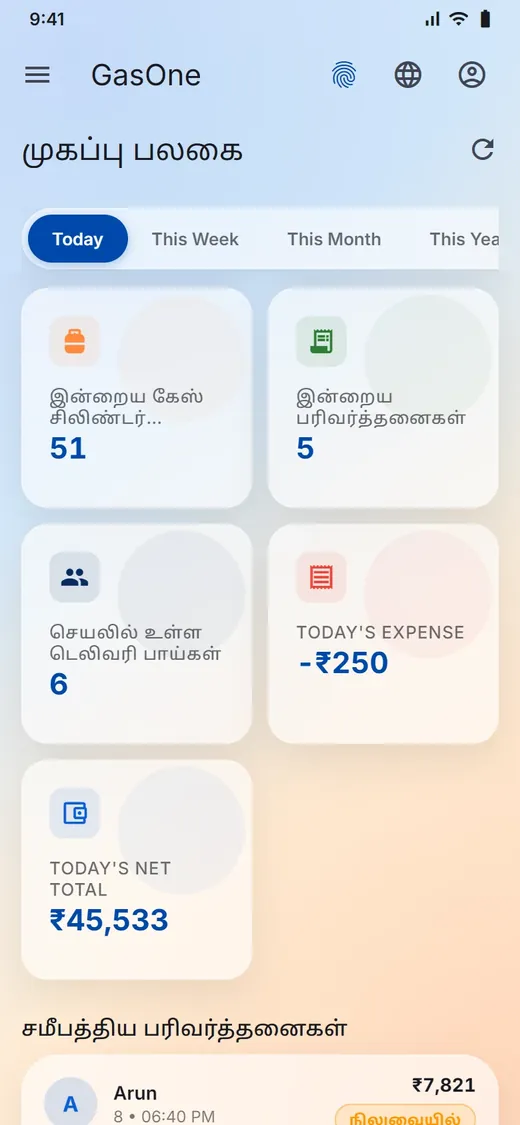
Staff switch between Tamil and English from the globe icon at any time. Try it. A few dashboard labels are still shown in English.
GasOne needs an internet connection to save entries. If the connection drops while you're filling the grid, the unsaved rows stay on the device so you can save them once you're back online.
No. A Delivery Boy account opens only their own denomination entry. The store keeper sees only the day's register.
No. It is never sold. Apart from the TMB Tech team that runs GasOne and the hosting provider that stores the data for us, it is not shared outside your agency except where the law requires. Each agency's data is kept separate. See the privacy policy.
English and Tamil. Each person can switch at any time.
On Android phones, and in a web browser on the office computer, where it gets a full sidebar layout.
Contact us below. We set up your agency, your cylinder products and rates, and your staff accounts. The full GasOne user guide walks through every screen.
Tell us about your agency and we'll show you GasOne with your own products and rates.
Want to try it first? Request a free trial and we will create your login and set everything up for you.
On Google Play soon: in review
GasOne is a product of TMB Tech, a software company that builds business applications end to end: mobile apps, web portals, backend APIs and databases. We set GasOne up for your agency and support it.