
Run your whole shop.
From one screen.
Billing, inventory, GST, purchases, and your own customer-facing store — LedGo ERP replaces the notebook, the calculator, and the three different apps your shop has been stitching together.
Want to try it first? Request a free trial and we will create your login and set everything up for you. Request free trial
 Coming soon on Google Play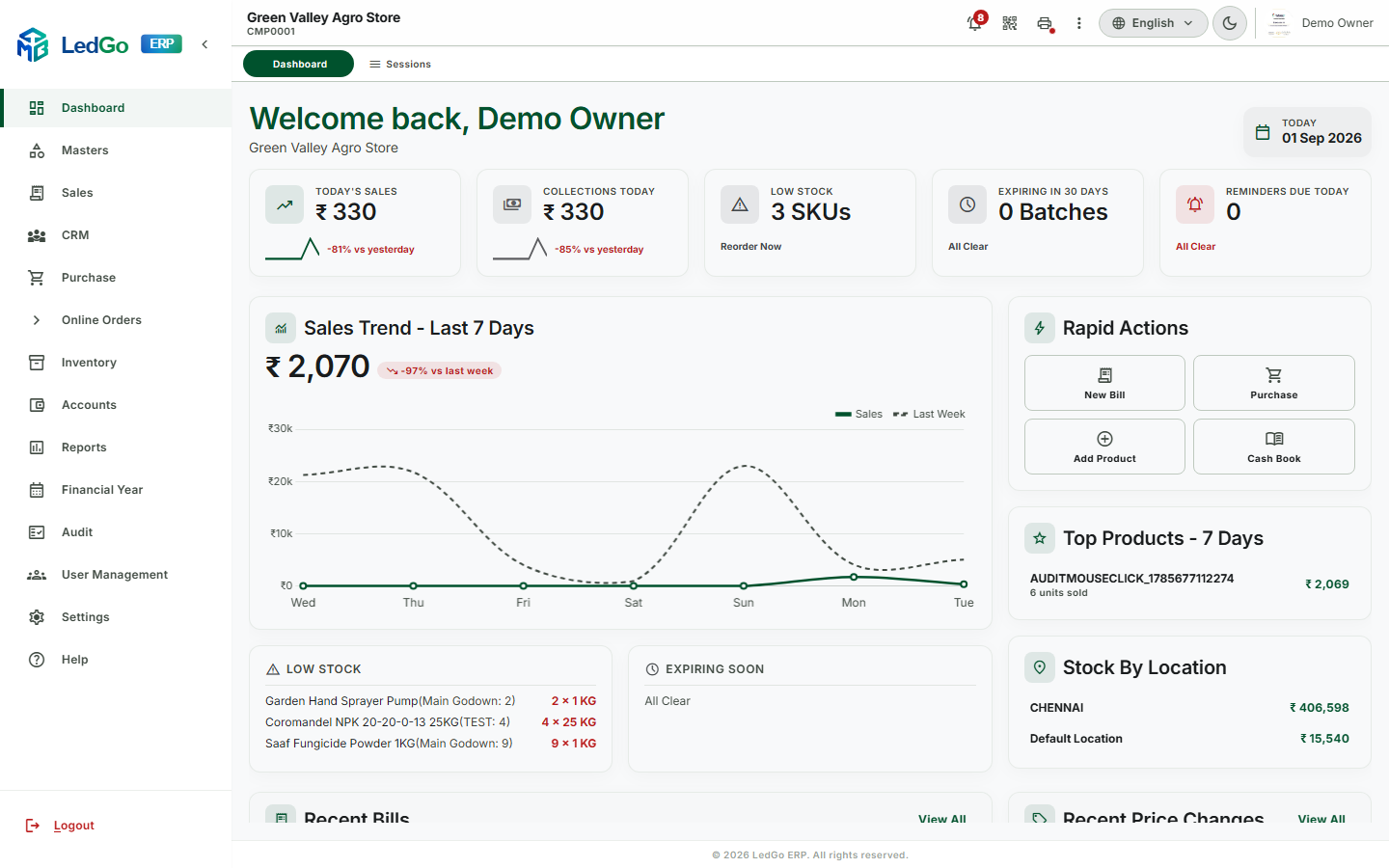
Everything a shop counter actually needs
Not a generic accounting tool bent into shape — built around how an Indian agri, hardware, or general-trade shop really runs its day.
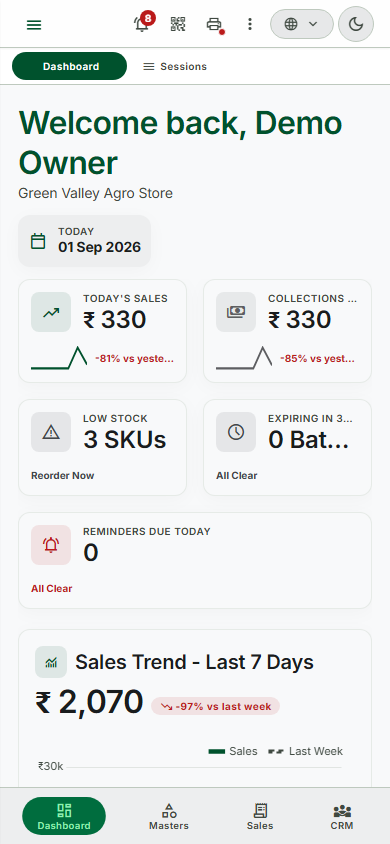
Billing that keeps up with the counter
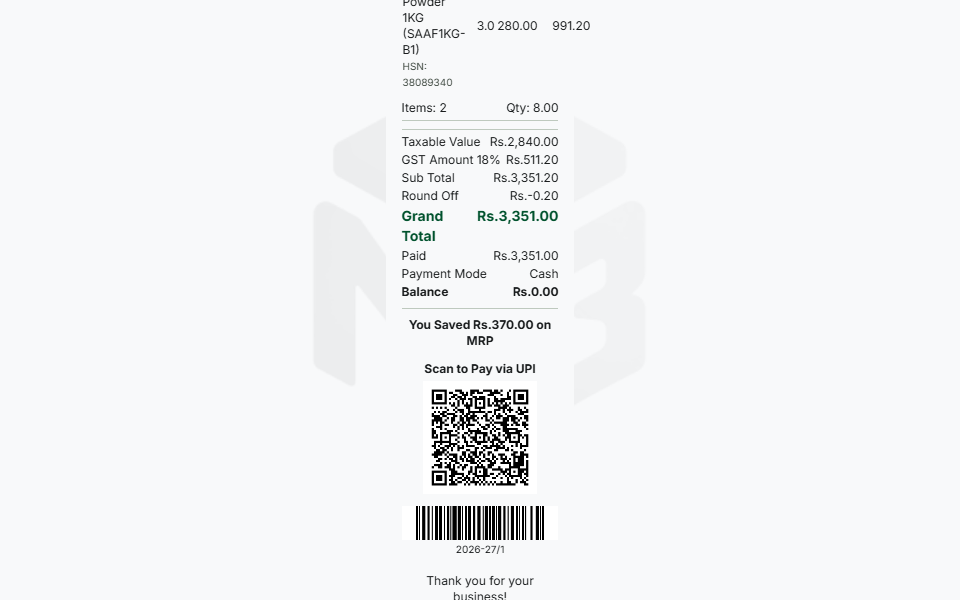
Search, scan, or speak a product in — GST splits itself into CGST+SGST or IGST on every line, automatically, and a UPI QR sits on every bill so customers can pay on the spot.
- Thermal receipt & label printing on real shop hardware
- Sales Orders, Returns, and on-account credit — tracked to the rupee
- Batch & expiry aware, oldest stock sells first, automatically
Inventory that never loses track
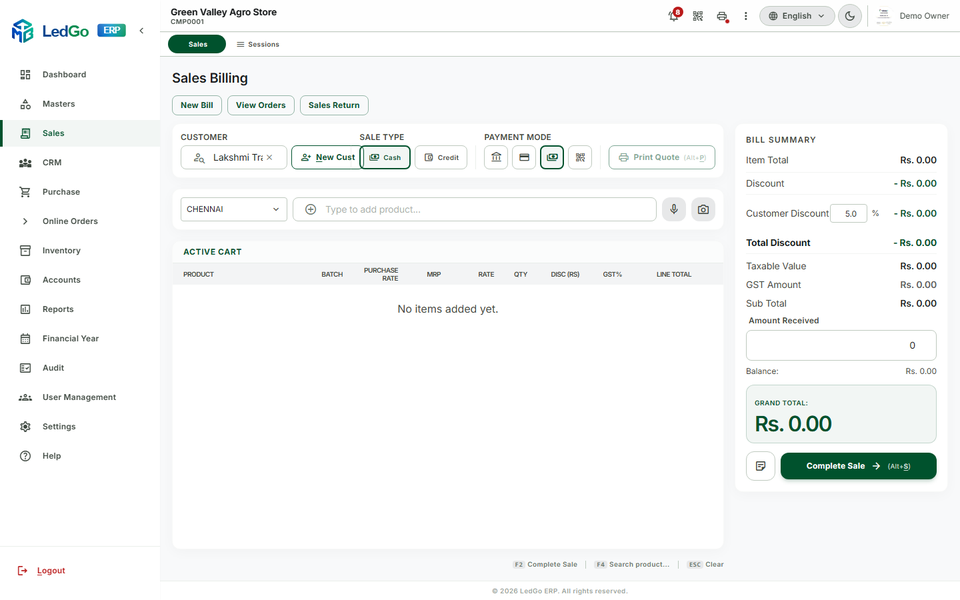
Every batch carries its own expiry date. Run one shop or ten locations, each with their own warehouses, and move stock between them with a real audit trail.
- Locations, Godowns, and Stock Transfer between them
- FIFO, LIFO, or Weighted Average costing — chosen per company
- Dead stock, fast movers, and reorder suggestions, one report away
Say it, snap it, done
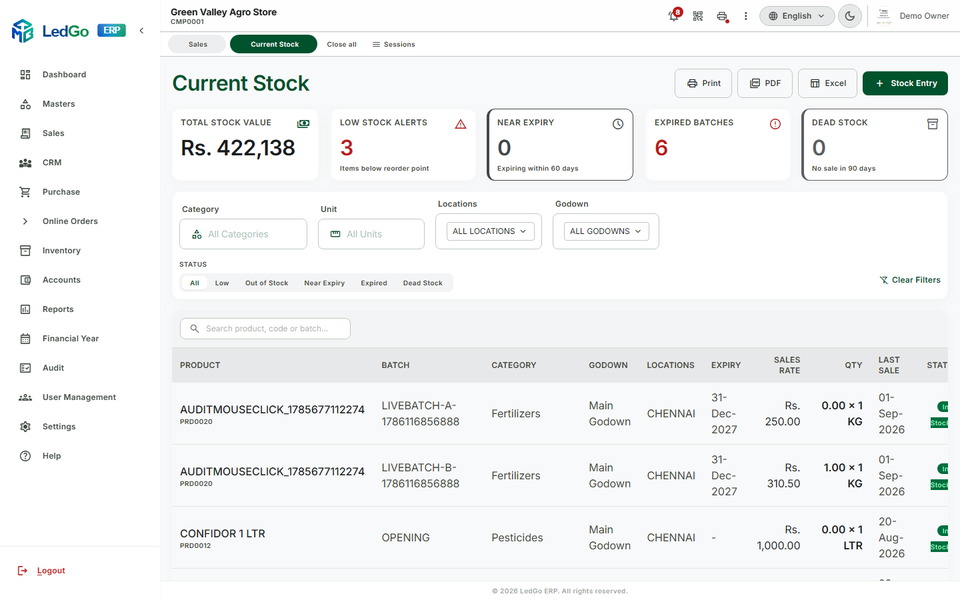
Speak a sale out loud and watch the cart fill itself. Photograph a vendor's paper invoice and get back a fully filled purchase entry — lines, rates, and all.
- Voice Ordering matches spoken words to real products
- AI Invoice Import reads a photographed or scanned bill
- Runs on Anthropic, Gemini, or OpenAI — whichever a shop trusts
A storefront that's actually yours
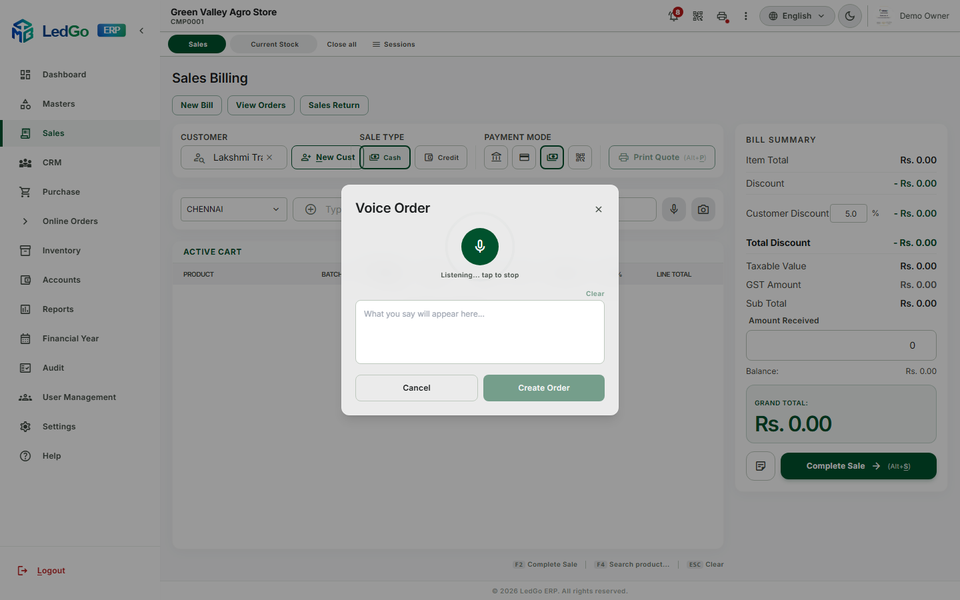
Every shop gets its own branded ordering website — customers browse the real catalogue and place real orders — plus a dedicated Android app with its own name, icon, and colours, not a shared marketplace listing.
- Custom domains — yourshop.com, not someone else's subdomain
- Push notifications the moment an order status changes
- Orders flow straight into the same billing and stock engine
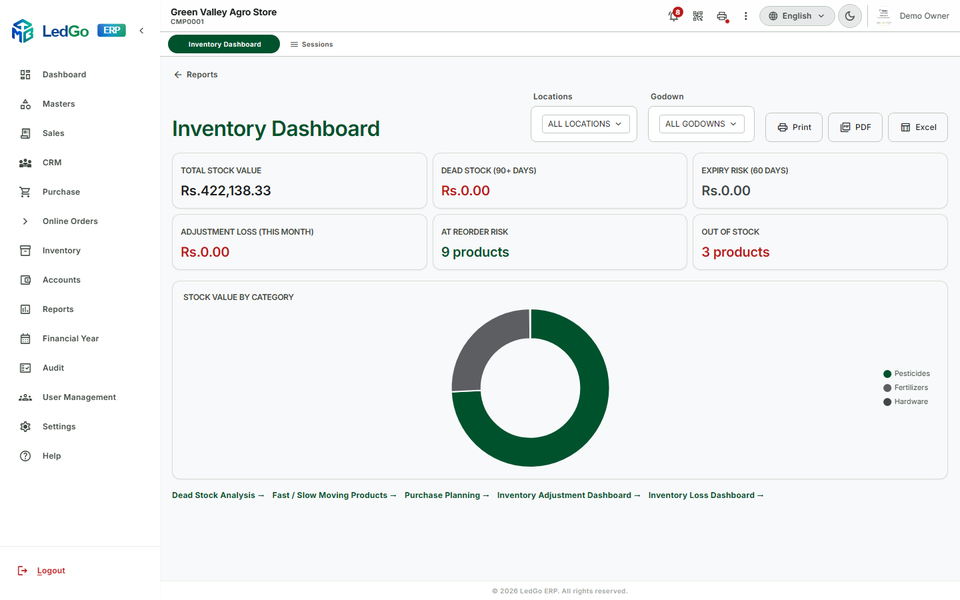
Reports that answer the real question
Full ledgers, GST-ready summaries, and a Profit & Loss statement built from the same bills already in the system — plus dead stock, fast movers, and what to reorder next, one click away.
- Sales & Purchase Register, GST Summary, and Party Ledger — export-ready in one click
- Dead Stock, Fast/Slow Movers, and Purchase Planning suggest exactly what to reorder
- Outstanding & Aging — who owes what, at a glance, filterable by location
- Financial Year close, and reopen, without losing a figure
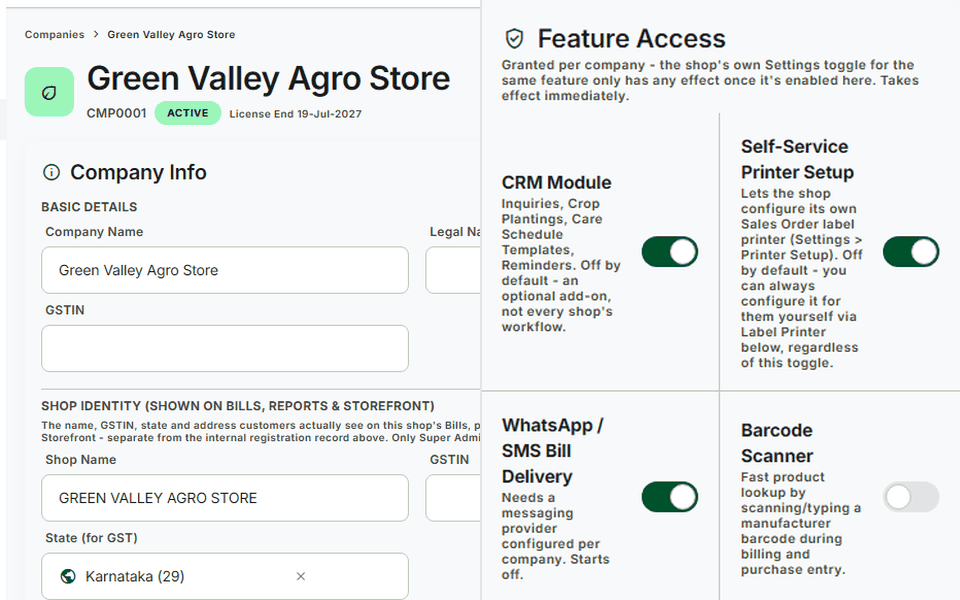
One platform, every shop you run
A Super Admin control tower oversees every company on the platform — agri, hardware, and general-trade shops alike — with feature-by-feature switches per shop: turn on exactly what each one needs, nothing forced on anyone.
- Trial windows, licensing, and automated backups, built in
- A platform-wide audit trail — every action, attributed, forever
- Role-based permissions down to the individual action
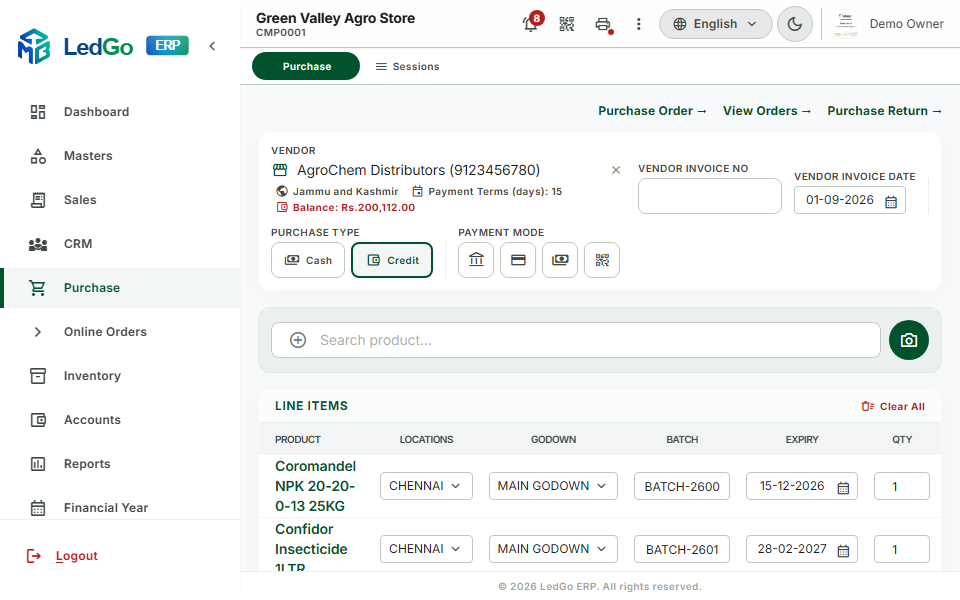
Purchase, tracked from order to payment
Raise a Purchase Order, receive it as a real stock-in entry with batch and expiry captured line by line, and track Cash or Credit payment against every vendor — the same rigor as billing, pointed the other way.
- Purchase Orders that convert straight into a real stock-in entry
- Vendor payments — Cash or Credit, Paid and Balance tracked to the rupee
- Purchase Returns reverse stock and ledger cleanly, no manual adjustment
Built for the hardware already on your counter
Thermal receipt and label printers, barcode scanners, and UPI QR codes — LedGo ERP talks to the machines a shop already owns, not a proprietary device you have to buy.
- Thermal receipts and product labels print directly, no PDF middle-man
- Barcode scan-to-add during billing and purchase entry alike
- A UPI QR sits on every bill — customers scan it and pay on the spot
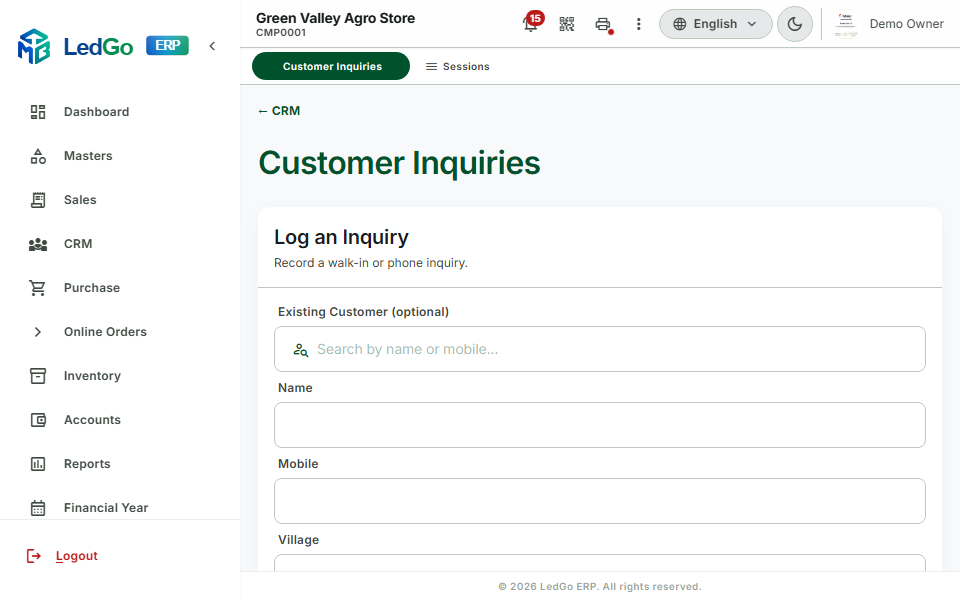
Every customer relationship, tracked
Inquiries, crop plantings, and care-schedule reminders — CRM that understands an agri shop's actual sales cycle, not a generic contact list bent into shape.
- Inquiries tracked from first call to closed sale
- Crop Plantings link a customer's field to what they'll need next season
- Care Schedule Templates fire reminders automatically, right on time
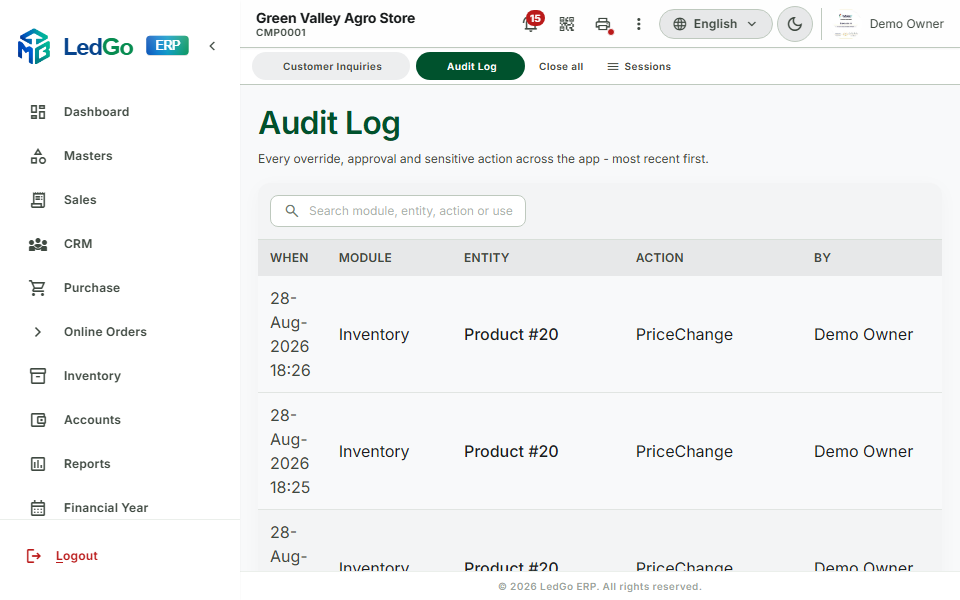
Security that holds up to scrutiny
Role-based permissions down to the individual action, and a platform-wide audit trail that attributes every change, forever — nothing silent, nothing untraceable.
- Every action logged — who, what, and when, permanently
- Permissions set per role, per module, per action
- Automated backups run on schedule, with Super Admin oversight
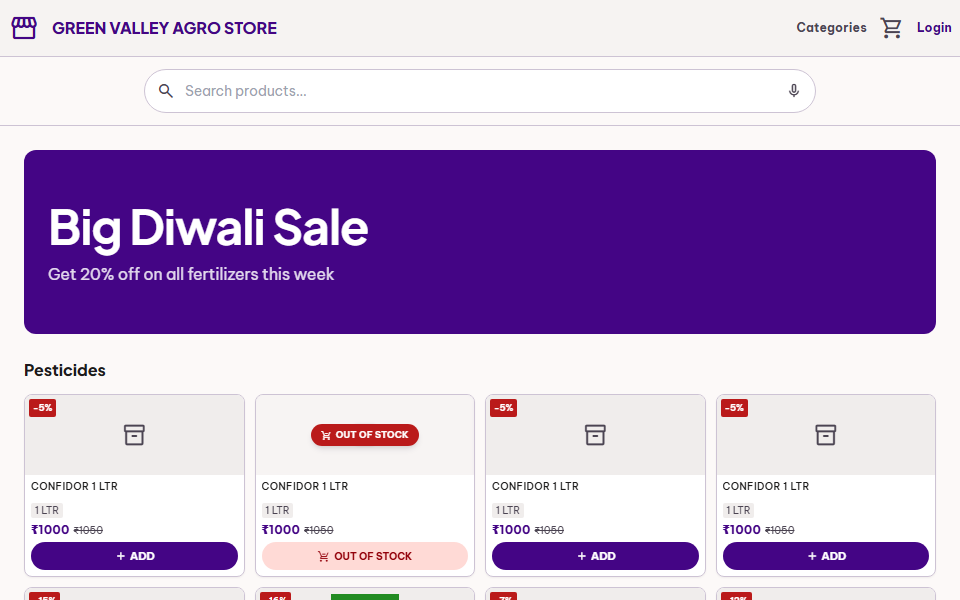
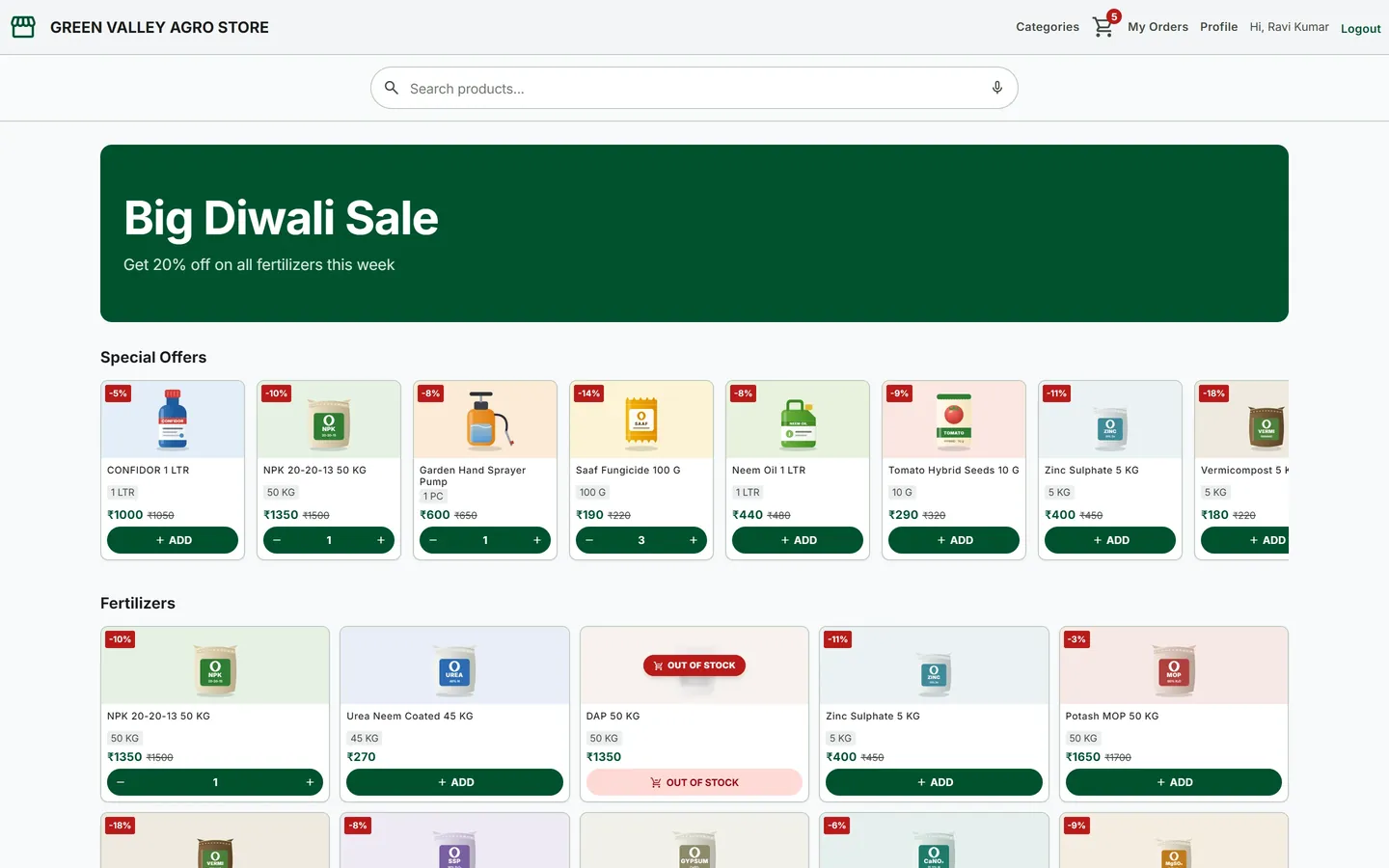
Your shop, open online. Orders land at the counter.
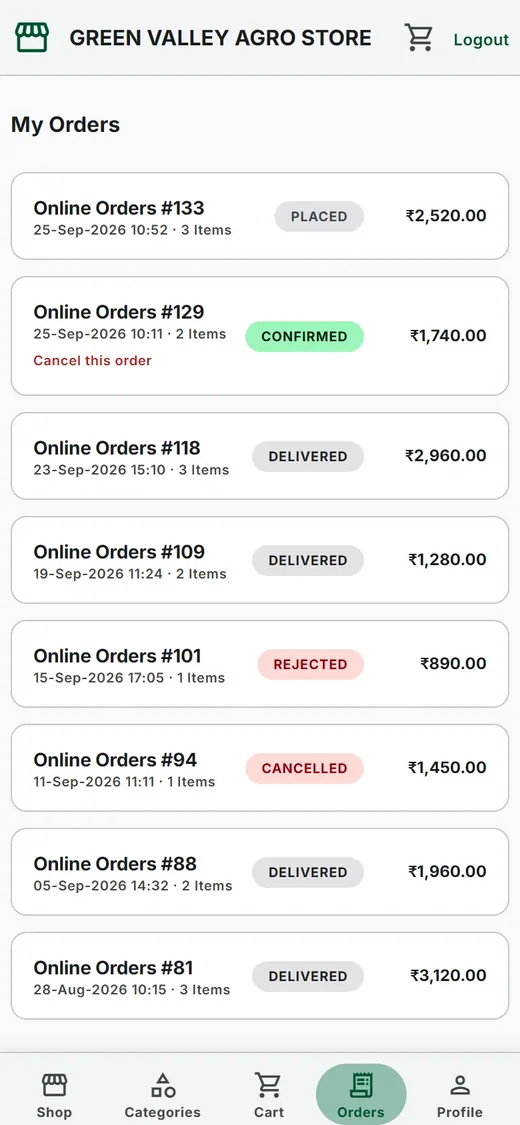
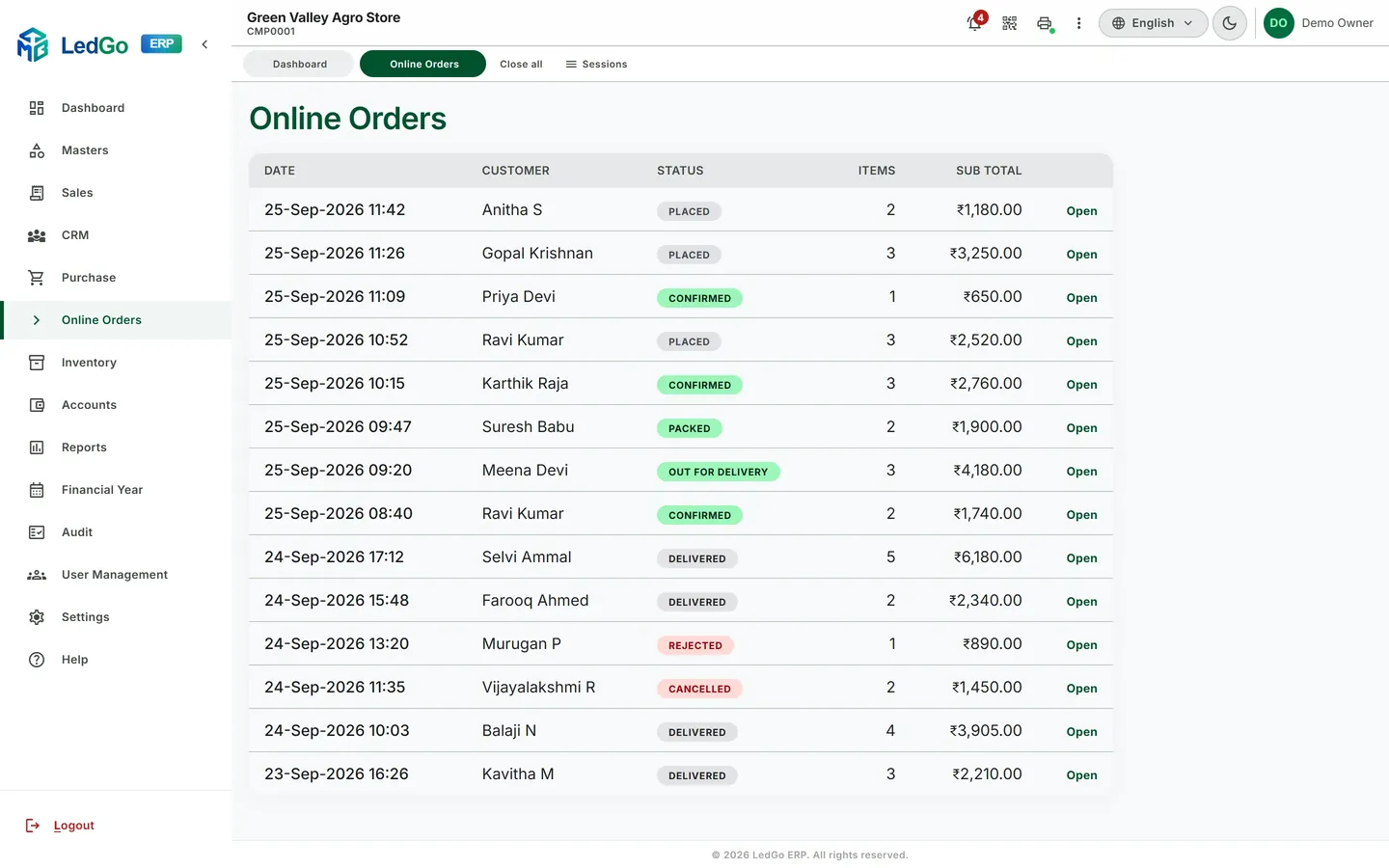
Switch on online ordering and your shop gets its own ordering website on its own web address. Customers browse your live catalogue and place orders; your staff confirm, pack and deliver from the same LedGo ERP they bill from.
What your customer sees
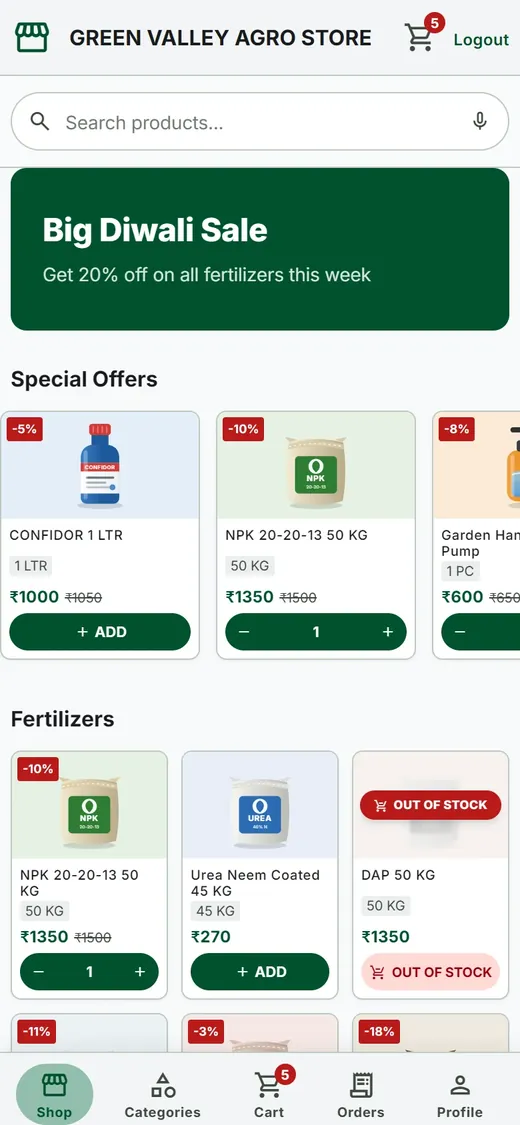
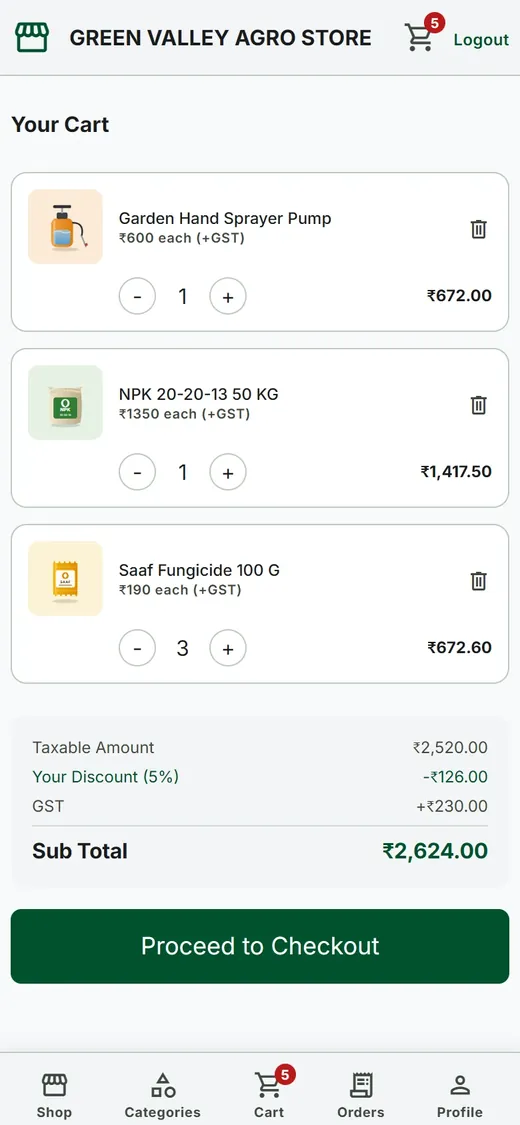
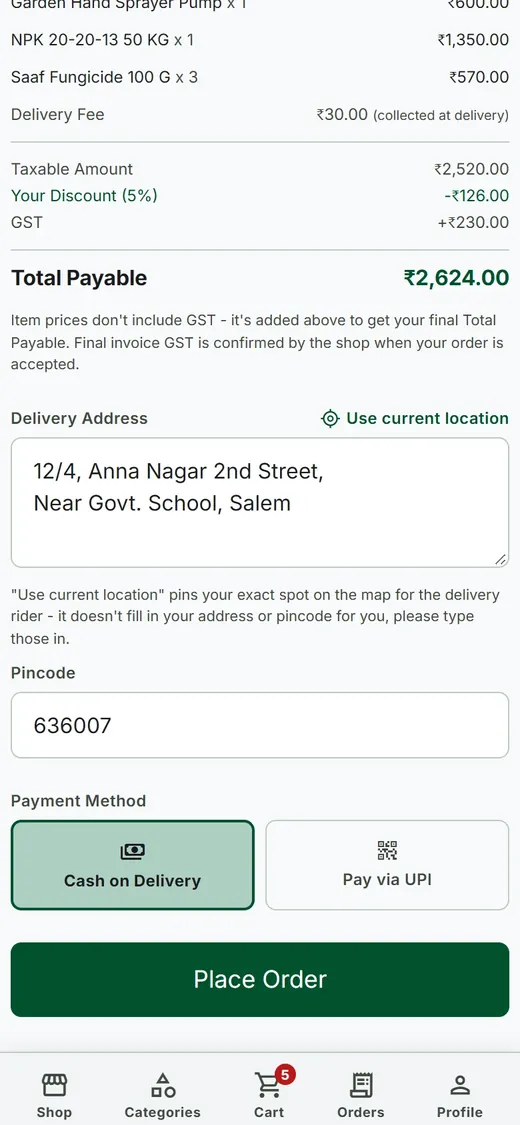
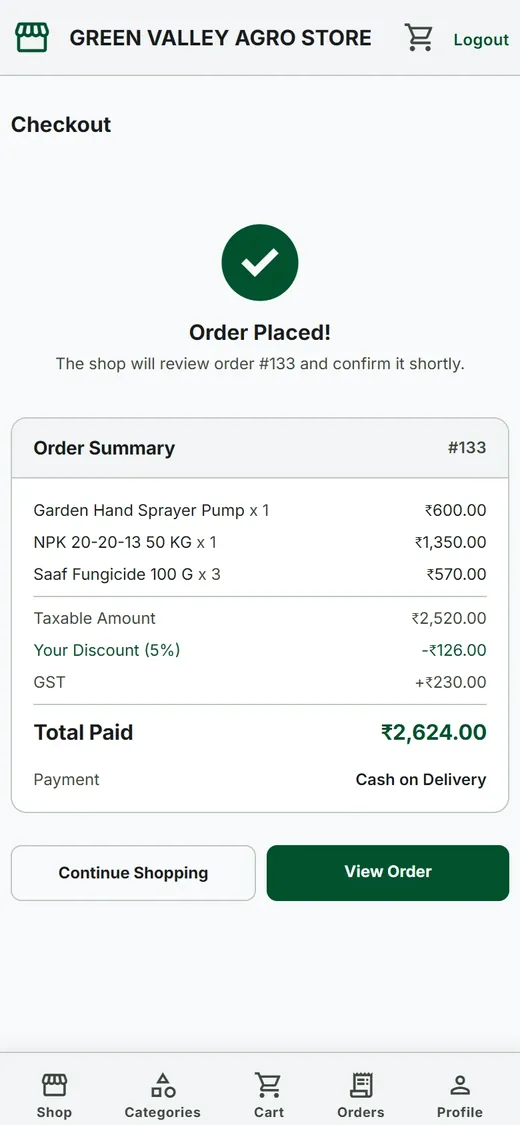
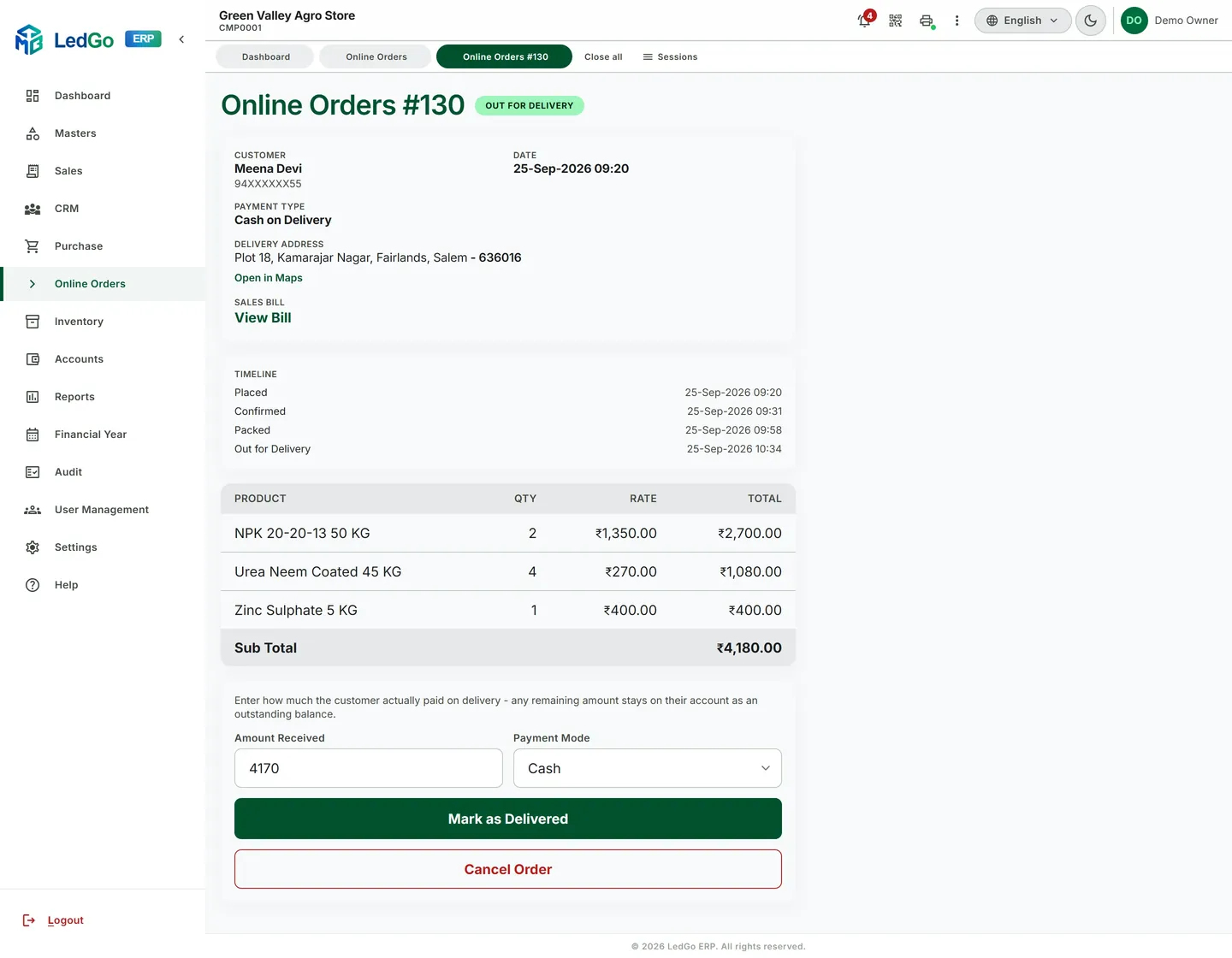
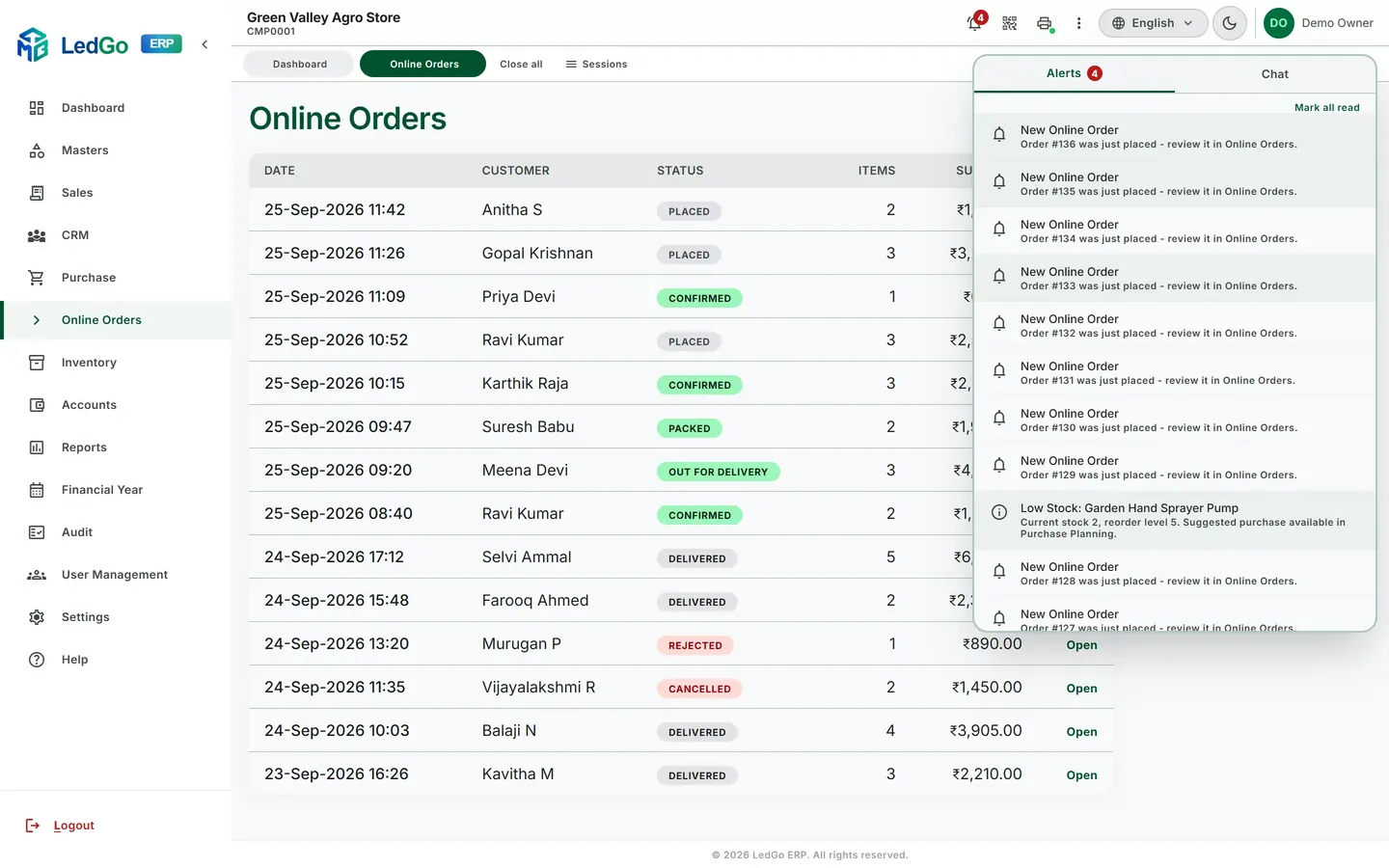
What your counter sees
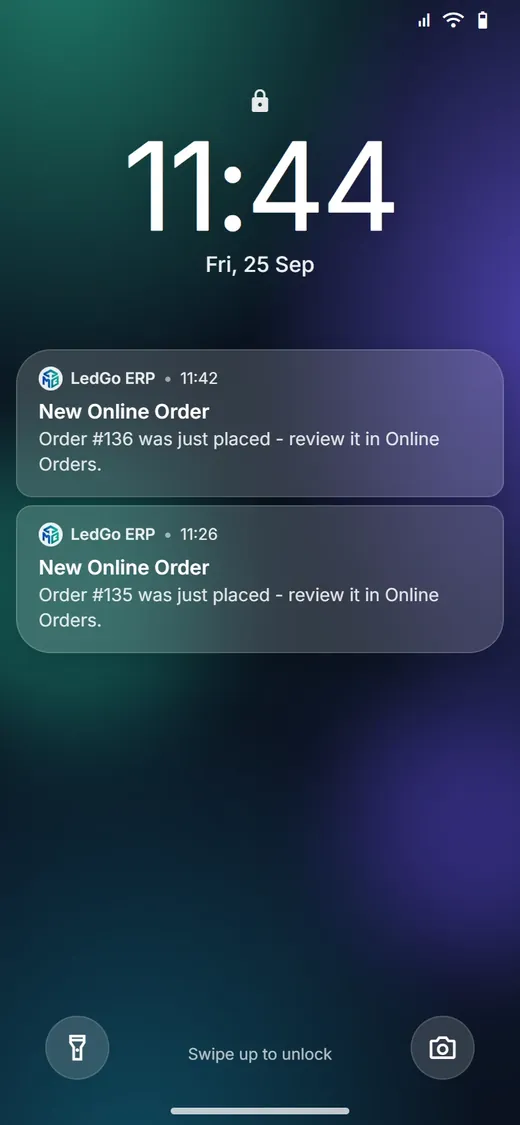
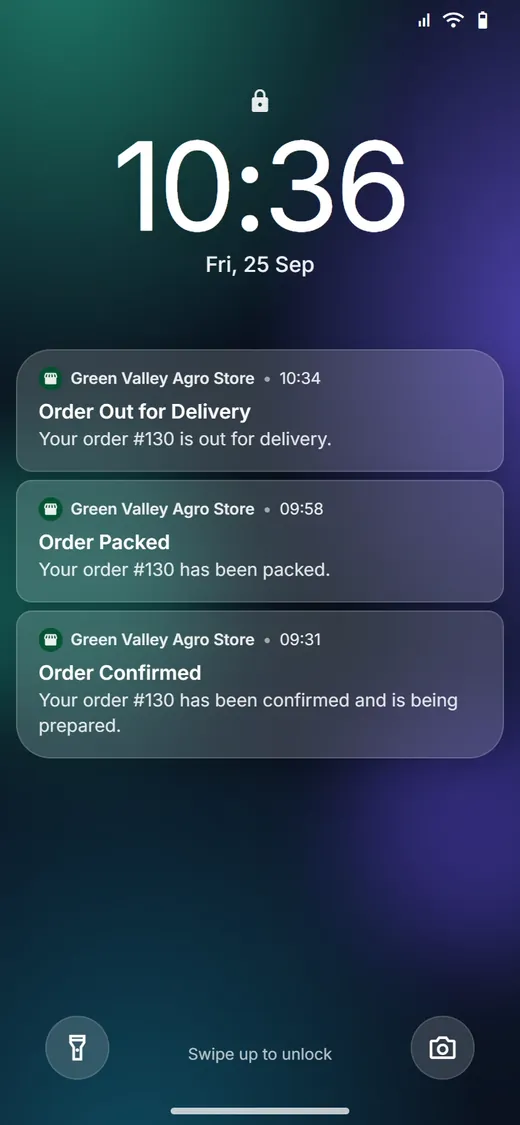
- Switch it onOnline ordering is turned on for your shop, on its own subdomain or your own domain.
- Customers orderThey search, add to cart, choose delivery or pickup, and pay by Cash on Delivery or UPI.
- You are toldBell, push notification and chat message, the moment an order is placed.
- ConfirmOne tap makes it a real bill: stock is checked and picked batch by batch, GST and the ledger are posted.
- Pack and sendMark it Packed, then Out for Delivery. Staff can open the customer's map pin.
- DeliveredRecord the amount received. Anything unpaid stays on the customer's outstanding.
Online Orders also has a Board view (New / To pack / Ready / On the way, oldest waiting at the top) and Insights (sales, delivery vs pickup, Cash vs UPI, peak hours, top products) alongside the list shown above. Screens show a demo shop with sample data.
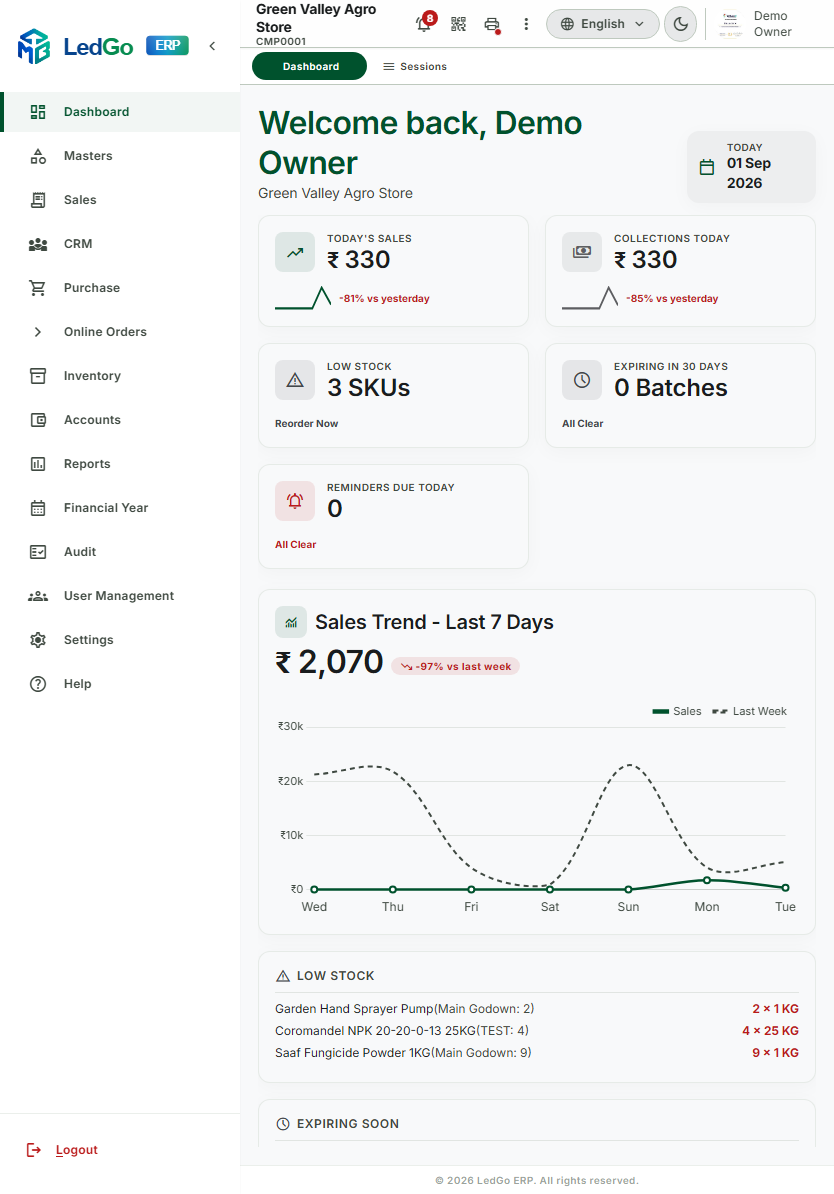
Phone at the counter. Tablet on the floor. Desktop in the back office.
The same screen, genuinely responsive — not a cramped desktop layout squeezed onto a small screen.
Every shop picks its own look
Nine theme presets and a real dark mode — the whole app switches with it. This page is running on the same engine. Try it.
Good to know
Does this work for shops that aren't agricultural?
Yes. The same billing, GST, batch, and inventory engine reconfigures for hardware stores and general trade retailers just as well as it does for agri-input shops — the underlying logic doesn't change, only the vocabulary does.
Can my staff use it in Tamil, Hindi, or another language?
Yes — English, Tamil, Hindi, Kannada, and Telugu are all supported natively, not machine-translated on the fly.
Do I need to be technical to run this?
No. It's built to be run by shop staff on the counter, not an IT team — the same reason billing, printing, and stock updates are designed to take one click, not five.
What if I run more than one shop?
Each company gets its own isolated data and its own theme, with a Super Admin view that oversees all of them from one place — nothing about one shop's data ever crosses into another's.
What happens if I switch how stock cost is calculated later?
LedGo ERP supports FIFO, LIFO, or Weighted Average costing, chosen per company. Switching is a Super Admin-gated setting that applies going forward — it doesn't rewrite or disturb any past transaction, so your historical figures stay exactly as they were recorded.
Is my data backed up automatically?
Yes — scheduled automatic backups run on their own with Super Admin oversight, and you're alerted if a scheduled backup ever fails, so protection isn't something you have to remember to do yourself.
Bring your shop onto one screen.
No credit card, no sales call required to see if it fits — just a look at whether it actually matches how your shop runs.
Free trial available. Want to try it first? Request a free trial and we will create your login and set everything up for you.
Coming soon on Google PlayYour email app should open with your message ready — just press Send.
Prefer email? Write to us at info@tmbtech.in

LedGo ERP is a product of TMB Tech, a software company that builds business applications end to end: mobile apps, web portals, backend APIs and databases. The same team that builds LedGo sets it up for your shop and supports it.

- Emailinfo@tmbtech.in
- Phone+91 75503 56255
- LinkedInbharath-s-52266620b
- GitHubBharathvsb3