
Your own shop address
Your own domain or a subdomain, your logo, your banners. Customers never see a list of other shops — one shop per website.
Customer order entry is the ordering website (and optional Android app) that comes with LedGo ERP. It reads your real products, prices and stock, and every confirmed order becomes a normal GST bill in your own books — nothing typed twice.
Want to try it first? Request a free trial and we will create your login and set everything up for you.
Built around one idea: the website should never know more, or less, than your real stock and prices.
Your own domain or a subdomain, your logo, your banners. Customers never see a list of other shops — one shop per website.
Reads straight from LedGo ERP. In stock, Only a few left or Sold out; expired stock never shows. "% off" is real, or no badge at all.
By pincode list or by road distance with a price per band, plus free pickup. Customers pin their place on a map.
When staff press Confirm, LedGo ERP makes a normal sales bill from the same bill series as the counter and takes stock out, batch by batch.
A bell and push alert the moment an order lands. Customers see Placed, Confirmed, Packed, Out for delivery and Delivered, with a push at every step.
English, Tamil, Telugu, Hindi and Kannada, picked by the customer and remembered on their device.
Customer order entry has no database of its own. Everything it shows, and every order it takes, goes through LedGo ERP.
Browses and orders on the shop's own website or app, at its own address.
Shows what the ERP allows (name, price, photo, stock) and asks only for what a customer may do.
Owns the products, prices, stock, bills, customers and the Online Orders screens staff use.
| Customer order entry owns | LedGo ERP owns |
|---|---|
| Page layout, theme, language picker | Products, prices, stock, batches, expiry |
| The bag, in the customer's browser | Customer accounts, addresses, push devices |
| The map screen used to pin a location | Delivery rules, distance bands, route |
| Link-preview cards for sharing | Orders, bills, ledger, returns, reports |
There is no database access from the website: it talks only to the ERP's storefront interface, and every request is re-checked against the customer's live credentials on the server. See the Online Store on the LedGo ERP page →
The same order, from both sides.
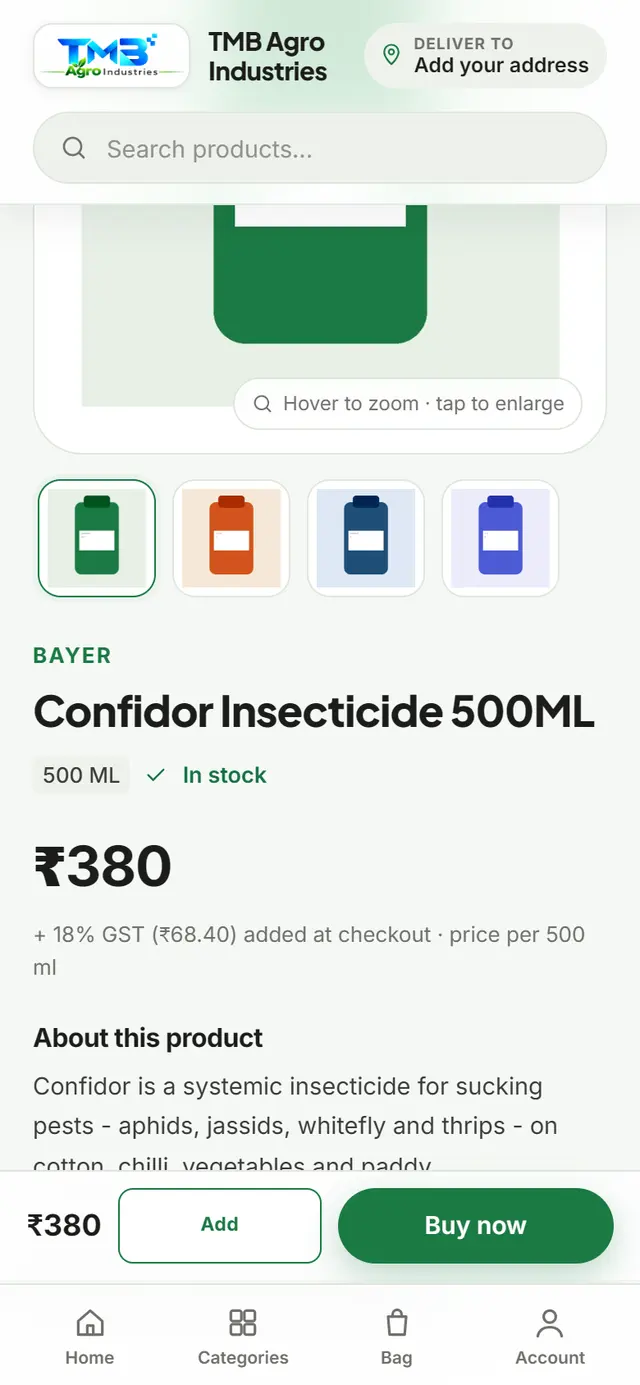
Search, sort or scroll by category; add items, or Buy now for just one.
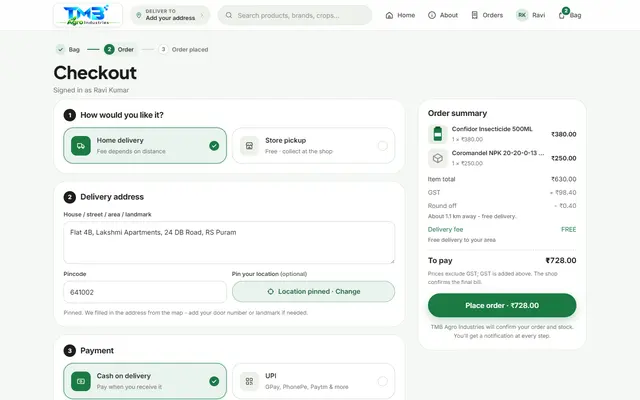
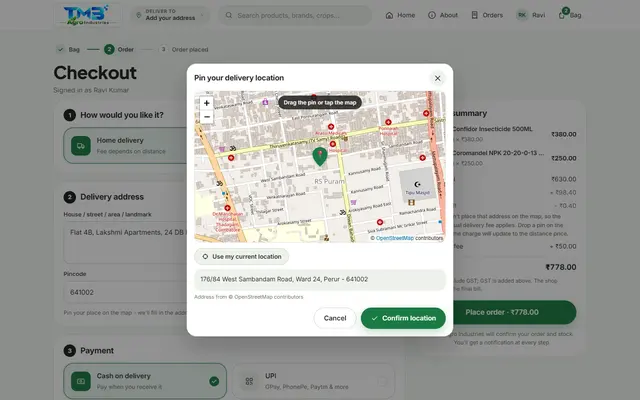
Sign in, choose delivery or pickup, pin a location, and pay by Cash on Delivery or UPI.
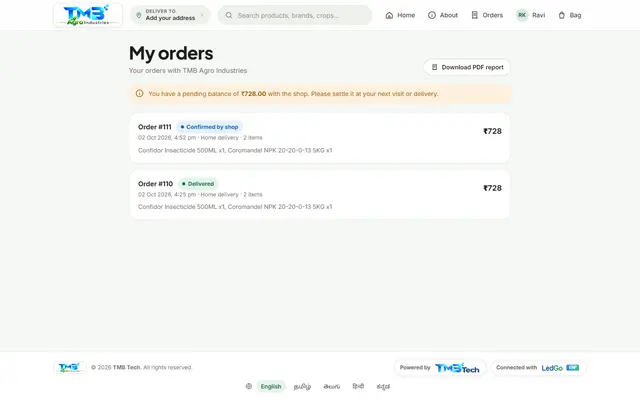
The order page updates itself: Confirmed, Packed, Out for delivery, Delivered — with a push at each step.
A new order shows on the Online Orders board at once, with an alert and a push notification.
Confirm checks real stock against every line, picks batches earliest-expiry-first (a picker opens only if rates disagree), and makes a real GST bill from the same series as the counter. Reject needs a reason; nothing is billed.
Mark Packed, Out for delivery, then Delivered — enter the amount received and the payment mode.
| Stage in LedGo ERP | What the customer's order page says |
|---|---|
| Placed | "Waiting for the shop to confirm your order" |
| Confirmed | "Confirmed, the shop is packing your items" — the real GST bill now backs the page |
| Packed | "Packed, it will be on its way soon" (pickup: "Ready for pickup") |
| Out for delivery | "On the way to you. Keep your phone handy." |
| Delivered / Picked up | "Delivered" / "Picked up", invoice available |
| Rejected | "Declined by shop", with the reason |
| Cancelled | "Cancelled", by the customer or by the shop |
The page refreshes itself with no manual reload, and a push notification goes out at every change, to every device the customer allowed notifications on.
These screens are from a real order placed end to end on a demo shop. Your shop gets its own name, logo and colours.
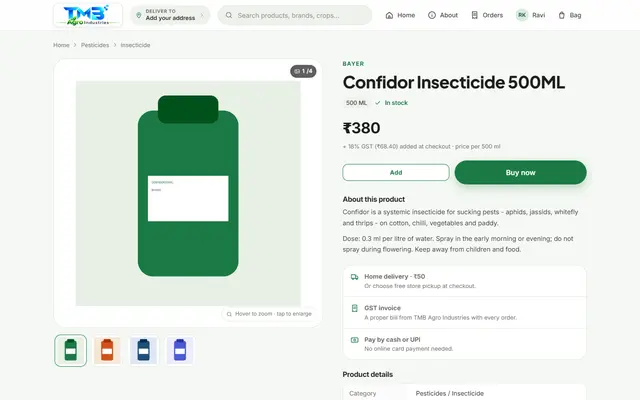
Up to 8 photos, pack size, GST invoice note, and a pincode check right on the page.
Item total, discount, GST and delivery, worked out by the server — never by the page.
Drag the pin, tap the map, or use the current location — the address and pincode fill in automatically.
A short celebration, then a live order page that updates itself and shows the real bill once confirmed.
Customers order from their phone as easily as from a computer, in their own language.
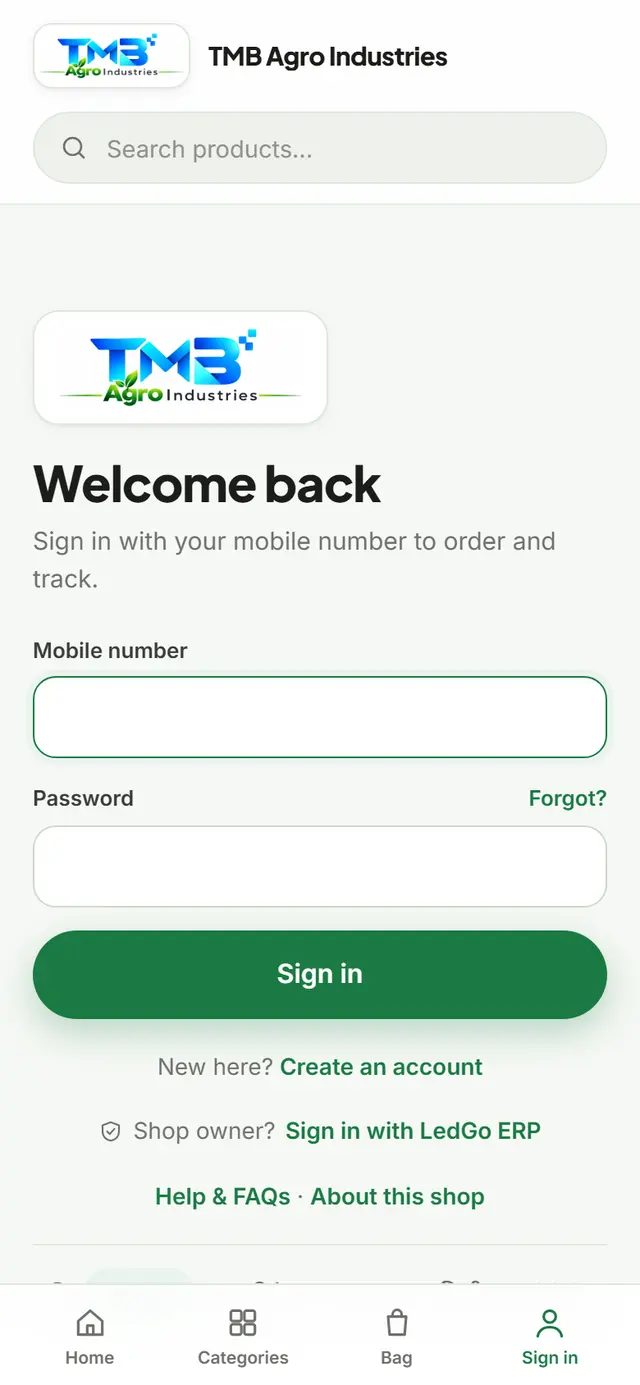
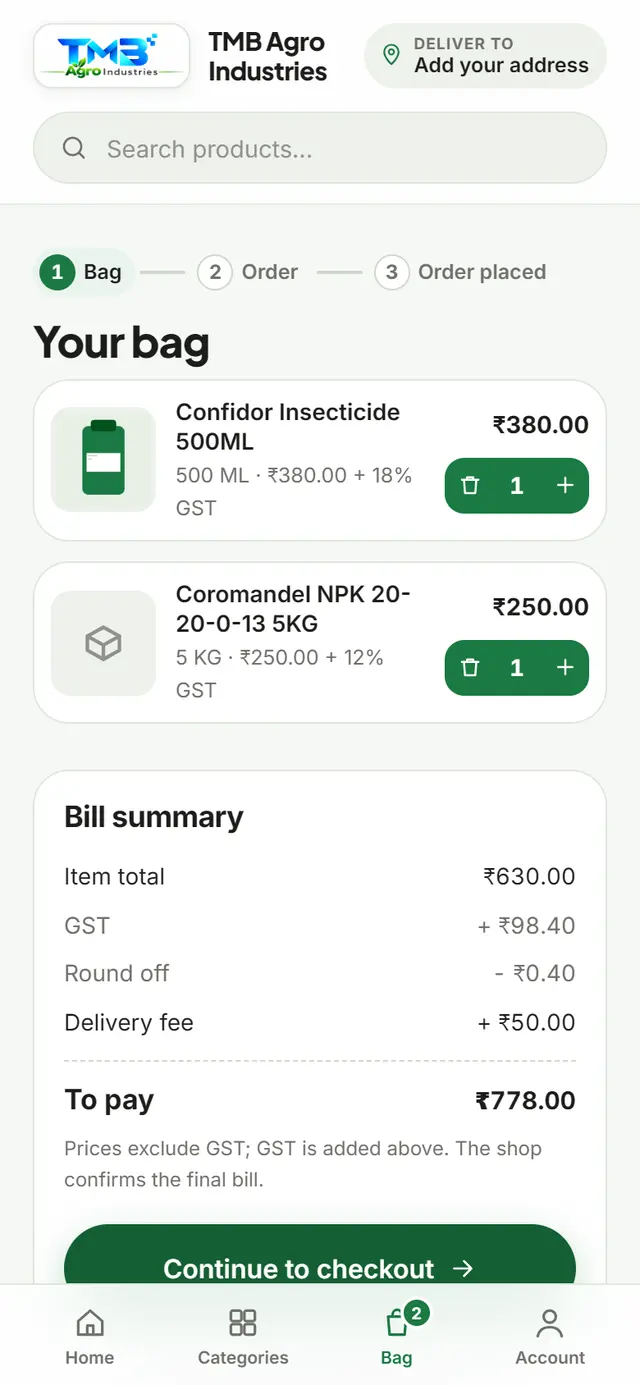
Screens are from a real demo order (order #110 / #111); product names shown are real agri-input products.
An agri-inputs shop, set up on LedGo ERP with Customer order entry as its branded ordering website and a matching Android shop app.
One shop, three connected pieces: LedGo ERP for the owner, Customer order entry branded for the shop, and a shop app that opens it full screen — all reading the same stock and prices.
Brand artwork supplied by the shop, shown here for illustration — not a live app screenshot.

TMB Tech sets these up with you; most can change later.
| Option | What it does |
|---|---|
| Pincode area | Delivers only to a list of pincodes, enforced on the server. |
| Distance area | The charge follows a price-per-band table built from the road distance; beyond the last band, no delivery. |
| Flat fee | A fallback charge if a map lookup is unavailable. |
| Free delivery | Above an amount you set, and/or always-free for chosen customers. |
| Store pickup | Always free; the customer collects at the counter. |
| Map provider | Google Maps or OpenStreetMap, chosen per shop. |
Pay at the door, or at the counter for pickup. Staff record what was received when they hand over the order.
A pay button opens the customer's UPI app for the exact amount, to your own UPI ID. No gateway, no commission.
No card or net-banking payment, no payment gateway, no automatic confirmation. Money never passes through TMB Tech.
Delivery charge is kept outside the GST bill, collected at hand-over and posted as other income.
One app per shop, with your name, icon and splash screen. It opens your Customer order entry site full screen — no address bar, no other sites — and gets native push for orders. Your shop's address comes from an online settings file, so it can change later without a new app. Status: available on request, built per shop. The website works in any browser without it.
Yes. Customer order entry is the online front of LedGo ERP: it shows your ERP products and stock and sends orders into the ERP.
Yes, with an optional Online Rate per product. Leave it empty and the normal sales rate is used.
It arrives as "Placed" and your staff are alerted. Nothing is billed and no stock moves until staff press Confirm.
No card payment. Cash on Delivery or UPI to your own UPI ID; you record what you received at delivery.
Yes — by pincode list, or by distance with a price per band, or pickup only.
Only while Placed or Confirmed, and only if you allow it. A confirmed order's bill is reversed and stock returns automatically.
Yes, your own domain or a subdomain, set up by TMB Tech, certificate included.
Yes, a branded app per shop, available on request. The website also works in any phone browser.
Tell us about your shop and what you sell, and we will show you Customer order entry set up with your own products.
Want to try it first? Request a free trial and we will create your login and set everything up for you.

Customer order entry is a product of TMB Tech, a software company that builds business applications end to end: mobile apps, web portals, backend APIs and databases. We deploy, brand and support it for your shop.